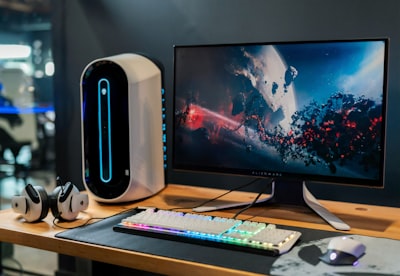
In the world of PC gaming, every component counts, but few users notice the cable that connects their monitor to the graphics card. The eternal argument between HDMI and DisplayPort is not a simple matter of preference, but a technical decision that directly affects visual performance, stability, and gaming experience. While HDMI was born in the home theater arena and remains the standard for TVs and consoles, DisplayPort was designed from the ground up for computers, monitors, and professional environments, giving it decisive advantages in latency, bandwidth, and support for variable refresh rates.
The main difference lies in the data transmission capacity. DisplayPort 1.4 offers up to 32.4 Gbps bandwidth, enough to handle 4K resolutions at 144Hz with HDR enabled, or even 8K at 60Hz. On the other hand, many gaming monitors include HDMI 2.0, which stays at 18 Gbps, limiting the resolution or refresh rate. This explains why a user can have a powerful graphics card and a high-frequency monitor, but not reach 144 Hz if using HDMI. By connecting via DisplayPort, those limitations disappear, and the system can squeeze its full potential. In addition, native Adaptive Sync support (FreeSync and G-Sync Compatible) is present since DisplayPort 1.2a, while HDMI required later versions and specific compatible panels.
Another key aspect is flexibility in multi-monitor configurations. DisplayPort enables daisy chaining, where multiple monitors can be cascaded together using a single cable to the graphics card. This functionality is especially useful in professional environments where multiple screens are operated for data analysis, design, or trading. HDMI, on the other hand, requires a separate connection per monitor, which forces more ports to be used on the graphics card. In addition, modern USB-C ports with DisplayPort Alternate Mode (DP Alt-Mode) simplify connecting monitors to laptops, and can even supply power through the same cable, eliminating the need for external adapters and sources.
From a business perspective, the choice of connection standard is not trivial. Companies developing custom software for high-performance workstations should consider visualization infrastructure. For example, a customer who needs to run AI applications with real-time visualization of large data sets requires a connection that doesn't limit resolution or refresh rate. Q2BSTUDIO, as a software and technology development company, offers bespoke applications that integrate these needs, optimizing both the software and the underlying hardware. Likewise, in cybersecurity projects or AWS and Azure cloud services, the correct visualization of control panels and dashboards is essential, and DisplayPort guarantees reliable transmission without artifacts or loss of synchrony.
Enterprise AI benefits from high-resolution multi-monitor workstations, where DisplayPort proves its superiority. AI agents developed by Q2BSTUDIO require training and deployment environments that often use complex visualizations; Having a stable, high-bandwidth connection avoids bottlenecks. In addition, business intelligence and Power BI services take advantage of high-pixel displays to display distortion-free graphs and tables. DisplayPort natively supports 10-bit color transmission and HDR, improving color accuracy in reporting and visual analysis.
In gaming, the advantage of DisplayPort becomes even more apparent. Players looking for maximum fluidity know that the variable refresh rate only works properly if the connection standard supports it without artifice. Many modern graphics cards include multiple DisplayPort ports and only one HDMI, reserved for connecting to a television. Using HDMI for the main monitor means wasting graphics capabilities and often forces you to buy Ultra High Speed certified cables for HDMI 2.1, which are more expensive and not always easy to find. DisplayPort, on the other hand, uses cables that meet the specification without the need for additional certifications, reducing uncertainty.
Another relevant consideration is compatibility with alternative operating systems. On Linux, HDMI often has licensing restrictions that limit features such as variable refresh rate, especially with AMD graphics. DisplayPort, being an open standard, works smoothly, offering the same quality as in Windows. This is crucial for companies deploying dual-boot workstations or Linux-based render servers. Q2BSTUDIO integrates tailored software solutions that leverage these capabilities, ensuring that the customer's technology ecosystem is optimized to the fullest.
Finally, it should be noted that the choice between HDMI and DisplayPort is not exclusive: each has its place. HDMI is still indispensable for connecting consoles, media players, or TVs, while DisplayPort is the superior technical choice for PC monitors, especially in gaming and professional environments. The recommendation for any user or company that builds a high-performance system is clear: connect the main monitor via DisplayPort and reserve HDMI for external devices. This ensures maximum performance, stability and future-proofing.
In short, DisplayPort outperforms HDMI in gaming PCs and business applications that require high visual fidelity. Companies like Q2BSTUDIO, which offer artificial intelligence services, cybersecurity, AWS and Azure cloud services, and business intelligence services with Power BI, understand that visualization infrastructure is another pillar of technological architecture. Going for DisplayPort isn't just about playing better, it's about working with greater precision and efficiency.