
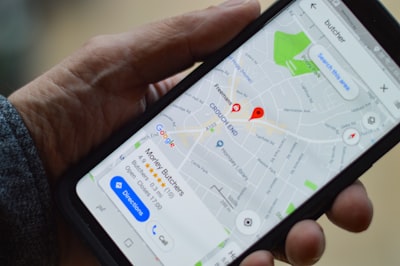
In the digital age, where every movement is recorded by our devices, the privacy of location data has become a central concern. Google Maps, a ubiquitous tool in the daily routine, stores valuable information about the places we visit, our frequent routes, and the destinations we have planned. This accumulation of data can be useful, but it also poses a risk if you don't manage permissions and privacy settings correctly. Below, we've explored four key settings you can apply to protect your saved places on Google Maps, minimizing exposure to sensitive information. In addition, we'll discuss how modern technology solutions, such as those offered by Q2BSTUDIO, can help you strengthen the security of your personal and business data.
1. Turn off Location History and manage the timeline
The first step toward greater privacy is to control location history. Google Maps keeps a detailed record of the places you've passed through, creating a personal timeline. To protect this information, you can pause the history from the app's settings or delete it entirely. However, this isn't enough if other Google services continue to collect location data. It is advisable to also review the permissions of the Google account and disable the option to share location with third-party applications. In a business context, where employee mobility can expose critical data, having a comprehensive cybersecurity approach is critical. Q2BSTUDIO offers cybersecurity and pentesting services that assess vulnerabilities in location management systems, helping organizations shield their infrastructure from unauthorized access.
2. Delete saved places and manage lists
Google Maps allows you to save addresses, restaurants, shops, and other points of interest in personalized lists. Over time, these lists can become a map of your habits and preferences. To increase your privacy, periodically review your saved places and delete any that are no longer relevant or that you consider sensitive. You can also create private lists instead of public ones, limiting visibility to other people. From a technical perspective, this process can be automated by developing custom applications that manage data cleansing on a regular basis. Q2BSTUDIO specializes in creating custom software for companies that need to control the flow of personal and corporate information, integrating secure erasure and consent management functionalities.
3. Review permissions for linked apps and services
Many third-party apps request access to your location and Google Maps lists to provide additional functionality. This access, while convenient, can expose your data to privacy risks. Periodically check which apps have permissions to read your location history or modify your saved places. It revokes those that are not essential. This control is especially important in corporate environments, where employees can install apps that access company data. Artificial intelligence and AI agents can help monitor these permissions in an automated way, detecting anomalies and suggesting corrective actions. Q2BSTUDIO integrates AI solutions for companies that analyze access patterns and generate alerts in real time, protecting sensitive information.
4. Set up cloud sync and storage
Google Maps syncs your data through your Google Account, which means your saved places are available on all your devices. While this is convenient, it means that anyone with access to your account can see your information. Adjust your sync settings so that they only stay on the devices you actually use. In addition, consider the use of cloud services with advanced security protocols. Businesses that handle customer or employee location data can benefit from AWS and Azure cloud services, which offer encryption and granular access control. Q2BSTUDIO provides advice on cloud infrastructure migration and management, ensuring that location data is stored securely and complies with privacy regulations such as GDPR.
Beyond these settings, location data privacy should be understood as part of a broader information protection strategy. Business intelligence tools, such as Power BI, can help you visualize data flows and detect potential leaks. However, prevention begins with individual control of each setting. Q2BSTUDIO, as a software and technology development company, offers customized solutions ranging from security auditing to the implementation of identity management systems. Whether you need to develop custom applications to control access to location data or implement AI agents that automate the cleaning of sensitive information, our team is ready to accompany you.
In conclusion, privacy on Google Maps is not an absolute concept, but a set of conscious decisions that you can make today. Applying these four quick settings will allow you to reduce the exposure of your saved places, but true protection comes from a culture of digital security. For companies, investing in cybersecurity and cybersecurity and pentesting services is an essential step. Likewise, custom software development can adapt these functionalities to the specific needs of each organization, integrating artificial intelligence and the cloud in a secure way. Don't let your location data become a risk; Take control today.

