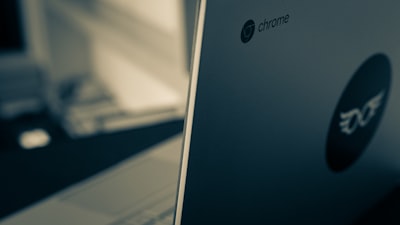
The Acer Chromebook Plus 516 arrives as a strong contender in the large Chromebook segment, combining an Intel Core i3 processor with a generous 16-inch IPS display in 16:10 aspect ratio. At first glance, it may seem bland in design, but its performance and value make it an attractive option for users seeking an agile, affordable laptop with ample screen space for work or study. This analysis dives deep into its features, strengths, and limitations from a technical and business perspective, and explores how it fits into corporate or development environments with services like those offered by Q2BSTUDIO.
To start, the Chromebook Plus 516 is powered by an Intel Core i3-1315U chip, featuring two performance cores and four efficiency cores. This hybrid architecture, inherited from Raptor Lake, allows it to switch between everyday tasks and more demanding processes without excessive battery drain. In synthetic benchmarks like Speedometer 2.0 and Jetstream 2, the laptop scored competitively for its price range, outperforming even some Chromebooks with older Core i3 processors or N-series chips. This performance is more than enough for multi-tab browsing, light document editing, virtual meetings, and media consumption. However, if you need to run heavy applications like virtual machines or complex compilations, it may fall short. That's where cloud services come into play: as described by Q2BSTUDIO in its cloud AWS/Azure section, offloading certain workloads to the cloud can ease local hardware demands and boost productivity without investing in more expensive machines.
The keyboard is one of the Chromebook Plus 516's strong points. It includes a numpad, rare in Chromebooks, and the main keys offer generous travel and a firm response that facilitates extended typing. However, it lacks backlighting, a feature many users miss in low-light environments. The touchpad is adequately sized but not exceptional for a 16-inch laptop, and it handles ChromeOS multi-touch gestures well. In a business context, keyboard ergonomics are key for data entry or software development. Companies that work with custom software applications need a machine that allows long coding sessions without fatigue, and in this regard the Acer delivers.
The 16-inch 1920×1200 display with 16:10 aspect ratio offers a wide workspace, ideal for having multiple windows open simultaneously. Maximum brightness is 300 nits, fine for indoors but just adequate in bright outdoor conditions. Contrast is typical of an IPS panel, with blacks not truly deep. Color reproduction is accurate but not vibrant. For professional use, such as data analysis or viewing Business Intelligence reports with Power BI, the display meets requirements, though graphic design tasks would benefit from better color precision. Audio-wise, the built-in speakers are clear but lack bass and maximum volume is low, so headphones or external speakers are recommended for meetings or entertainment.
Connectivity is comprehensive for this price point: two USB-C 3.2 Gen 2 ports (with DisplayPort and Power Delivery), two USB-A 3.2 Gen 1, HDMI 1.4, and a 3.5mm audio jack. It also includes Wi-Fi 6E and Bluetooth 5.3. This allows connecting multiple peripherals and external monitors without additional adapters. For a cybersecurity environment, where pentesting or network analysis sessions require USB devices and extra screens, this connectivity is very practical. The HDMI port enables screen duplication or extension for presentations or dashboard monitoring.
The 53 Wh battery delivers an estimated 10–12 hours of mixed use, depending on brightness and workload. It's not record-breaking but sufficient for a typical workday if power is managed wisely. ChromeOS, being a lightweight and optimized system, helps stretch battery life compared to Windows on similar hardware. For tasks like process automation or running AI agents in the cloud, battery life isn't critical if near a power outlet, but for mobile professionals it's a factor to consider.
In terms of software, ChromeOS offers a secure, fast, and simple ecosystem. Integration with Google services (Drive, Meet, Docs) is excellent, but it may require web apps or extensions to cover more specialized business needs. For example, developing AI solutions or analyzing Big Data can rely on cloud platforms like those Q2BSTUDIO provides with AWS or Azure. Similarly, cybersecurity is reinforced by Chrome's sandboxing and automatic updates. The Chromebook Plus 516 lacks a fingerprint reader or facial recognition, common in this segment.
In conclusion, the Acer Chromebook Plus 516 is a highly recommended option for those seeking a large, fast, and affordable Chromebook. Its Core i3 processor delivers remarkable performance for the price, and the 16-inch screen is perfect for multitasking. Shortcomings in design, keyboard backlighting, and speaker quality are offset by connectivity and build solidity. For businesses or developers, this laptop can be an excellent entry point into a cloud ecosystem, where services from Q2BSTUDIO enhance hardware capabilities. If more power or specialized functions are needed, custom software development or automation with AI agents can be integrated from the cloud. Certainly a machine worth considering in today's low-cost educational and business laptop landscape.