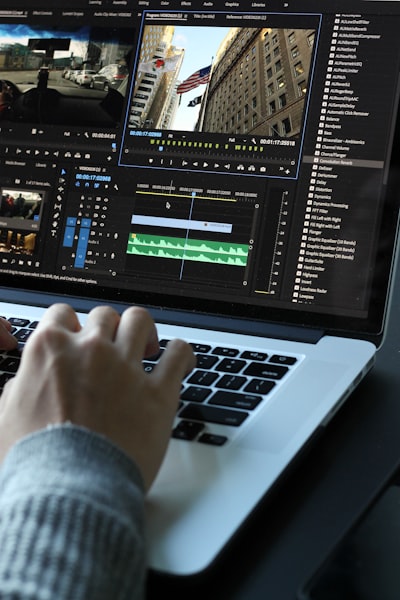
In the age of hyper-documented travel, the biggest challenge is not to capture moments, but to turn them into visual stories that convey the real experience. With 200GB of 4K footage coming from drones, action cameras, and state-of-the-art phones, any traveler faces a common problem: how to select, sync, and edit dozens of clips while maintaining color consistency and musical rhythm. The solution is not in a single editor, but in understanding which free tools solve each phase of the workflow without compromising quality. Below, we offer a technical analysis updated to 2026, based on real tests with material from devices such as DJI Mini 4 Pro, GoPro Hero 12 and iPhone 15 Pro, and aimed at professionals and advanced amateurs who are looking for professional results without investing in paid software.
Before comparing options, it is worth specifying what makes travel editing different: handling large volumes of files (between 50 and 150 GB per week), mixed formats (H.265, ProRes, HEVC, D-Log), different frames per second (30 fps vs. 60 fps) and the need to equalize colorimetry between devices. Clip selection accounts for 70% of the work, and syncing with music requires beat detection or at least accurate markers. With these premises, we evaluated six free publishers in 2026.
DaVinci Resolve remains the most powerful option. Its free version includes the professional color correction suite (with tools like Shot Match to match cameras), the Cut Page timeline for quick assembly, and proxy support that allows 4K editing on modest computers. However, its learning curve is steep (it requires between 2 and 3 hours of tutorials) and it does not have automatic beat detection, forcing you to manually mark the bars. It's ideal for intermediate editors looking for full control and have a computer with at least 16GB of RAM and a dedicated GPU. For companies that need scalable editing solutions, Q2BSTUDIO offers custom software that integrates automated ingest, transcoding and proxy flows, reducing the time it takes to prepare footage.
CapCut Desktop (the free version) dominates the field of short content. Its automatic syncing with music, pre-designed transitions for travel (soft zooms, speeds), and direct export to TikTok make it the fastest choice for Reels and Shorts. However, its color tools are basic (no curves or wheels), it has no proxy workflow, and it can wobble with long timelines. It's the ideal tool for creators who prioritize speed over accuracy. In corporate environments, combining CapCut with AWS and Azure cloud services allows projects to be stored in the cloud and accessed from any device, a benefit for marketing teams editing on the go.
iMovie remains the path of least resistance for Mac users. It handles iPhone HDR footage perfectly, includes decent stabilization, and the Magic Movie feature generates an auto-edit in minutes. But it's limited to two video tracks, doesn't support flat profiles (D-Log, Protune), and struggles with mixed frame rates. It's the choice for absolute beginners who want a finished video in less than an hour.
Shotcut remains the benchmark for cross-platform open source. It supports virtually any format without the need for additional codecs, offers proxy editing and key filters for stabilization and color correction. Its interface is less intuitive than that of other editors, but its reliability and lack of accounts or watermarks make it the best choice for Linux users or those who value privacy. For agencies that need to process large volumes of footage, Shotcut's integration with enterprise AI systems can automate tasks such as tagging scenes or transcribing comments.
VSDC Free Video Editor is the salvation for Windows computers without GPUs, as it processes by CPU and supports LUTs to correct color of flat profiles. However, playback on timeline with 4K can be slow and exports are later. It is useful for older laptops or for basic assembly tasks. Companies that want to modernize their publishing infrastructure can benefit from the business intelligence services with Power BI offered by Q2BSTUDIO, allowing them to analyze project performance metrics and optimize workflows.
FirstCut Studio (web) changes the paradigm: it is not a timeline editor, but a selection assistant using artificial intelligence. Automatically classifies clips by visual quality (A, B, C, S) and generates montages synchronized with music from the best material. It's ideal for travelers who accumulate hundreds of files and don't know where to start. Once the basic cut is obtained, it can be refined in Resolve or CapCut. The AI here acts as an AI agent that filters out the noise and extracts the essentials, a capability that we also apply in Q2BSTUDIO to develop bespoke applications that automate audiovisual content selection processes.
However, no free publisher covers all needs. That's why the most efficient travel videographers combine tools: first a smart selector (manual or AI), then a traditional editor for fine editing, and finally a color corrector to match fonts. In this ecosystem, cybersecurity also plays a key role: when working with multiple devices and clouds, protecting the original files is essential. Q2BSTUDIO offers cybersecurity solutions that ensure data integrity during transfer and storage, as well as encryption of shared projects.
For those looking for a handy flow, we recommend: 1) if you have less than 30 clips, select manually; if there are more, use FirstCut or a similar AI tool. 2) Assemble in Resolve (or Shotcut if you're on Linux). 3) Sync with music using CapCut if you're looking for speed, or manually with markers in Resolve. 4) Apply color correction in Resolve with LUTs for each camera. 5) Export in 4K and then generate versions for social networks (vertical, compressed). This approach reduces editing time from hours to minutes without sacrificing quality.
In the business environment, the trend is to integrate these flows into corporate platforms. For example, a marketing team traveling to events can use AI-powered AI agents to automatically tag clips (where, who, what), then store them in AWS and Azure cloud services, and finally generate dashboards in Power BI to measure engagement for each published video. Q2BSTUDIO develops this type of customized solutions, from data capture to analysis, helping organizations to make their audiovisual production profitable.
Choosing the best free editor for travel in 2026 depends on your technical skills, hardware, and type of content. If you're looking for absolute control and have a good team, DaVinci Resolve is second to none. If you prioritize speed and social media, CapCut wins by a landslide. But if your real bottleneck is footage selection, artificial intelligence (like FirstCut's) will save you hours. And if you need to integrate everything into a secure and scalable corporate ecosystem, at Q2BSTUDIO we help you design and implement the right architecture with custom applications, cloud services, business intelligence and data protection.