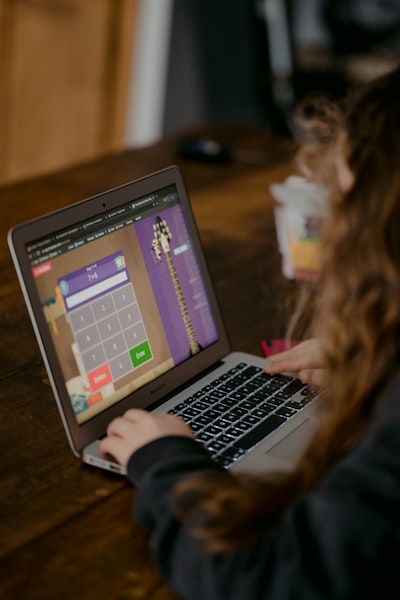
In a world where digital communication is ubiquitous, efficient typing has become a fundamental skill for students and professionals alike. Fortunately, the open source software ecosystem offers a wide range of free and transparent tools to learn and hone this skill. Below, we explore fifteen open source solutions that stand out for their quality, flexibility and active community, ideal for integration into educational, business or personal development environments.
1. Tux Typing: One of the most popular among young people, it combines typing lessons with fun games where a penguin catches fish by typing correctly. Its open source allows levels and themes to be adapted to different ages and cultures.
2. Klavaro: Designed for those who want a more technical approach, Klavaro offers complete courses with speed and precision exercises. It supports multiple languages and keyboard layouts, making it a solid choice for advanced users.
3. GNU Typist: A minimalist and efficient tool that works directly in terminal. Perfect for developers and system administrators who prefer a distraction-free environment. Its Unix philosophy makes it an excellent resource for educational scripting.
4. TypeFaster: Provides progressive lessons with detailed statistics on errors and speed. It includes support for ergonomic and Dvorak keyboards, and its license allows its use without commercial restrictions.
5. KTouch: Built into the KDE desktop environment, KTouch is a typing tutor that automatically adapts to the user's pace. It offers personalized profiles and a clean interface that makes it easy to track progress.
6. GCompris: Although it is a general educational suite, it includes specific typing modules with attractive graphics for children. Its modular nature allows schools to select only the activities they need.
7. Lyrics: A Tetris-style typing game where letters fall and must be typed before reaching the bottom. Open source and multiplatform, it is ideal for practicing reflexes and muscle memory in a playful way.
8. Keyboarding Without Tears: Not to be confused with the commercial version, there is an open source variant maintained by educational communities that replicates its methodology based on spaced repetition.
9. OpenSesame Typing: An extension of the well-known psychological experimentation software, it allows you to create interactive typing lessons and record accurate data for motor learning research.
10. PyType: Written in Python, it is highly configurable and can be integrated with other educational systems. Ideal for developers who want to modify source code and add functionalities such as error recognition with artificial intelligence.
11. Touch Typing Study: Although its web version is proprietary, there is an open source fork that deploys the same content on local servers, respecting the privacy of students by not sending data to third parties.
12. Keyboard Simulator (by Roboticela): Under the AGPL-3.0 license, this simulator allows you to visualize and practice with realistic 3D models of laptop keyboards. Its modern stack (React, TypeScript, Three Fiber) makes it extensible by the community, and its code is available on GitHub for those who want to contribute new designs or languages.
13. TypingWeb Lite: A scaled-down version of a web platform that runs entirely locally. It offers basic lessons and speed tests, ideal for quick assessments without an internet connection.
14. Codeless Type: Focused on programmers, it trains the writing of special characters and key combinations typical of languages such as Python or JavaScript. Your repository accepts contributions for new syntax.
15. Monkeytype Open: An open source clone of the popular Monkeytype, with custom practice modes and advanced stats. Its open source allows security audits and adaptations for corporate environments that require high cybersecurity.
These tools demonstrate how free software democratizes the learning of technical skills. However, their integration into training or business programs often requires customization. This is where companies like Q2BSTUDIO add value by developing custom applications that adapt these resources to specific needs, such as synchronizing with AWS and Azure cloud services, incorporating AI agents for adaptive feedback, or creating dashboards in Power BI that monitor employee progress. The combination of open source tools with professional tailor-made software solutions allows organizations to optimize training without sacrificing privacy or scalability.
In the field of artificial intelligence for enterprises, certain open source projects already integrate language models that offer instant contextual correction, while others are exploring the use of AI agents that detect fatigue patterns and suggest active pauses. Cybersecurity also plays a crucial role: by auditing the code of these tools, companies can prevent data leaks and comply with regulations such as GDPR, an area where pentesting services offered by specialists such as those of Q2BSTUDIO are indispensable.
Finally, the value of open source transcends economics: it fosters a culture of collaboration and transparency that fuels innovation. Whether in schools, universities, or corporate training departments, these fifteen tools represent the tip of the iceberg of a movement that continues to grow. For those who want to take their learning to the next level, combining free resources with the support of experts in services, business intelligence, and process automation can make the difference between generic training and a truly transformative program.