
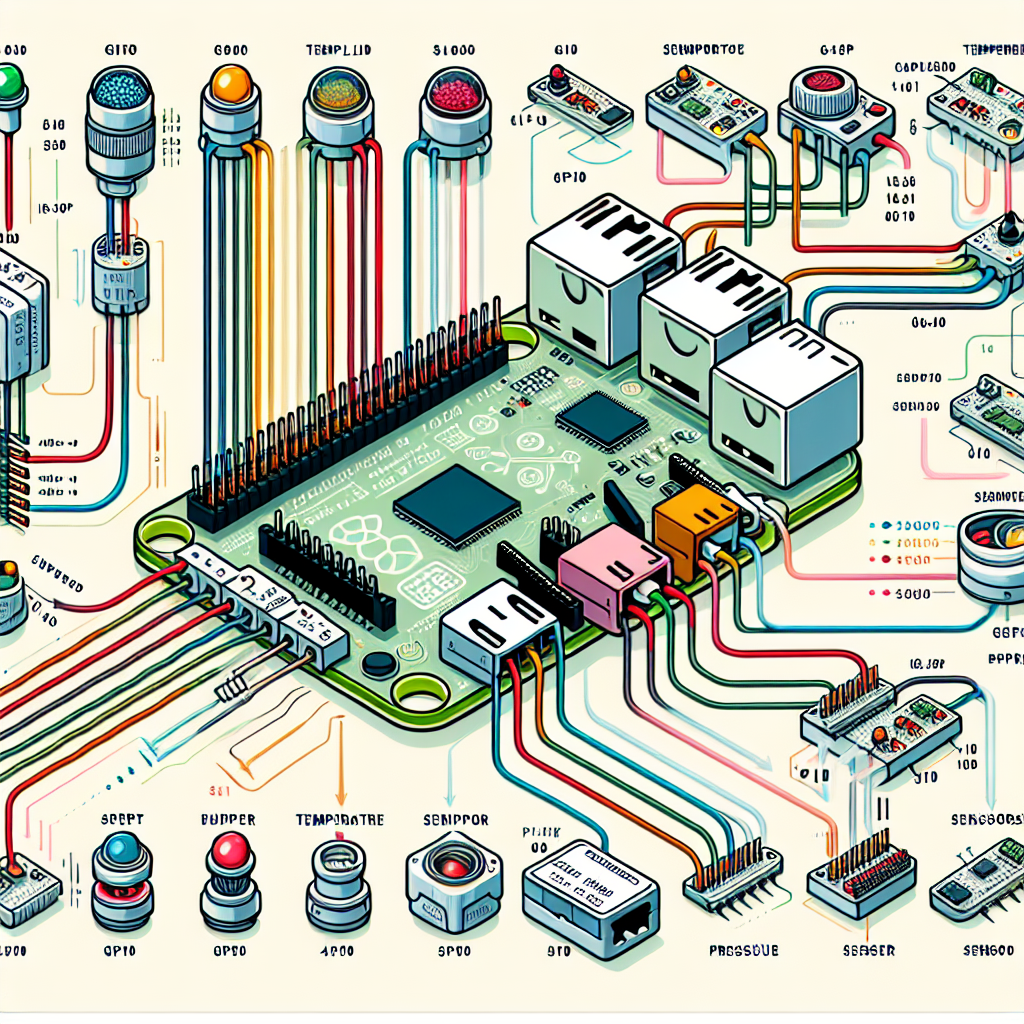
Guía práctica rápida para conectar sensores al GPIO de Raspberry Pi cubriendo digital, I2C, SPI, UART y analógico mediante ADC y ejemplos de Python. Esta guía está pensada para proyectos IoT y para integrarse con soluciones de aplicaciones a medida y software a medida ofrecidas por Q2BSTUDIO.
Reglas de oro antes de conectar nada: - 3.3 V solamente. Los GPIO del Pi no son tolerantes a 5 V, usa convertidores de nivel para sensores a 5 V. - Conectar GND primero. Siempre compartir masa entre Pi y sensor. - Usa la numeración BCM en el código cuando sea posible. - Pull ups o pull downs. Las entradas necesitan un nivel definido en reposo, usa las resistencias internas del Pi o externas. - Presupuesto de potencia. No alimentes cargas grandes desde el pin 3V3 del Pi; sensores de alta corriente requieren suministro externo.
Pines esenciales BCM y referencias: - Alimentación 3V3: pines 1 y 17. - Alimentación 5V: pines 2 y 4, evitar para señales lógicas. - Masa GND: pines 6, 9, 14, 20, 25, 30, 34, 39. - I2C: SDA1 GPIO2 pin 3, SCL1 GPIO3 pin 5. - SPI0: CE0 GPIO8 pin 24, CE1 GPIO7 pin 26, MOSI GPIO10 pin 19, MISO GPIO9 pin 21, SCLK GPIO11 pin 23. - UART: TXD GPIO14 pin 8, RXD GPIO15 pin 10. - Cualquier GPIO libre para entradas o salidas digitales simples.
Patrones de conexión comunes 1) Entrada digital simple por ejemplo botón o sensor PIR - Cableado: un lado del botón a un GPIO por ejemplo GPIO17 pin 11, el otro lado a GND. - Uso de pull up interno del Pi. - Código ejemplo usando gpiozero: from gpiozero import Button from signal import pause btn = Button(17, pull_up=True) btn.when_pressed = lambda: print(Pressed) btn.when_released = lambda: print(Released) pause()
2) Salida digital por ejemplo LED con resistencia - Cableado: GPIO a resistencia 220 1kO a LED a GND. - Código ejemplo: from gpiozero import LED from time import sleep led = LED(18) while True: led.toggle() sleep(0.5)
3) Sensor I2C por ejemplo BME280 o MPU6050 - Cableado: VCC a 3V3, GND a GND, SDA a GPIO2 pin 3, SCL a GPIO3 pin 5. - Muchos breakout incluyen pull ups; si no, añadir 4.7 kO a 3V3 en SDA y SCL. - Activar y probar: usar raspi config para habilitar I2C, instalar i2c tools y python3 smbus, ejecutar i2cdetect -y 1 para ver direcciones. - Código ejemplo simple con smbus2: import smbus2, time BUS = smbus2.SMBus(1) ADDR = 0x76 chip_id = BUS.read_byte_data(ADDR, 0xD0) print(Chip ID:, hex(chip_id))
4) Sensor SPI por ejemplo MCP3008 ADC o algunos IMUs - Cableado ejemplo MCP3008: VDD VREF a 3V3, AGND DGND a GND, CLK a GPIO11, DOUT a GPIO9 MISO, DIN a GPIO10 MOSI, CS a GPIO8 CE0. - Activar SPI en raspi config y usar python3 spidev. - Código ejemplo lectura CH0 MCP3008: import spidev spi = spidev.SpiDev() spi.open(0,0) spi.max_speed_hz = 1000000 def read_ch0(): resp = spi.xfer2([0b00000001, 0b10000000, 0]) val = ((resp[1] & 0x03) << 8) | resp[2] return val print(read_ch0())
5) UART por ejemplo GPS o sensores de partículas - Cableado: lógica 3V3 solamente, usar convertidor de nivel si el módulo es 5 V. Sensor TX a Pi RX GPIO15, Sensor RX a Pi TX GPIO14, GND a GND. - Habilitar UART desactivando la consola serie en raspi config e instalar python3 serial. - Código ejemplo: import serial ser = serial.Serial(/dev/serial0, 9600, timeout=1) print(ser.readline().decode(errors=ignore))
6) Sensores analógicos - El Pi no tiene ADC interno, usar ADC externo por ejemplo MCP3008 via SPI o ADS1115 via I2C. - Ejemplo ADS1115 con librería: pip install adafruit-circuitpython-ads1x15 import board, busio from adafruit_ads1x15.analog_in import AnalogIn from adafruit_ads1x15.ads1115 import ADS1115 i2c = busio.I2C(board.SCL, board.SDA) ads = ADS1115(i2c) chan = AnalogIn(ads, 0) print(chan.voltage)
Lista rápida de resolución de problemas - i2cdetect no muestra nada: revisar alimentación y masa, SDA SCL intercambiados, pull ups ausentes, I2C no habilitado. - SPI devuelve ceros o ruido: línea CS equivocada, MISO MOSI cruzados, SPI no habilitado, velocidad demasiado alta. - UART caracteres extraños: velocidad o formato erróneo, consola serie aún activa, lógica 5 V sin adaptador. - Entradas con rebotes o parpadeos: añadir pull ups o pull downs, filtrar software o con red RC. - Sensor solo 5 V: usar convertidor de nivel y fuente 5 V separada si hace falta.
Mejoras de seguridad y fiabilidad - Sensores inductivos y relés: añadir diodos flyback y mantener cargas alejadas de las pistas lógicas. - Entornos ruidosos: añadir resistencias serie 22 100 O y filtros RC en líneas largas. - Cargas de alta corriente: usar tierras separadas y unirlas al Pi en un solo punto para evitar caídas de tensión.
Sobre Q2BSTUDIO y servicios relacionados - Q2BSTUDIO es una empresa de desarrollo de software y aplicaciones a medida especializada en software a medida, inteligencia artificial y ciberseguridad. - Ofrecemos soluciones integrales que combinan hardware como Raspberry Pi y sensores con servicios cloud AWS y Azure, servicios inteligencia de negocio y desarrollo de aplicaciones a medida. - Tenemos experiencia en implementar IA para empresas, agentes IA, integración con Power BI y arquitecturas seguras que incluyen ciberseguridad y monitoring. - Si quieres un proyecto a medida que conecte sensores, automatice datos y los lleve a paneles de inteligencia de negocio con Power BI o soluciones cloud AWS y Azure, Q2BSTUDIO puede diseñar software a medida e integrar inteligencia artificial para tu caso de uso.
Palabras clave para posicionamiento y servicios - aplicaciones a medida, software a medida, inteligencia artificial, ciberseguridad, servicios cloud aws y azure, servicios inteligencia de negocio, ia para empresas, agentes IA, power bi.

